On this page:
How do I delete a presentation, estimate, sales order, or invoice?
How do I delete a purchase order?
How do I delete a project?
To delete a project, click Actions > Delete Project from the project's Overview.
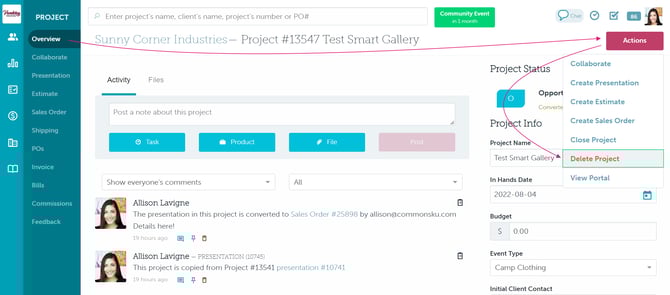
If there's no option to delete the project, it's either because:
- There are populated forms in the project (presentation/estimate/sales order/invoices)
- You do not have the necessary permissions to delete the project.
How do I delete a presentation, estimate, sales order, or invoice?
To delete a form from a project, click the Actions button on the form > click to Delete.
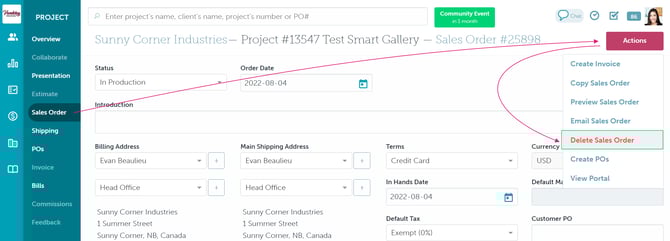
Deleted presentations, estimate, sales orders, and invoices can be recovered through the Jobs tab in a client's page.
How do I delete a purchase order?
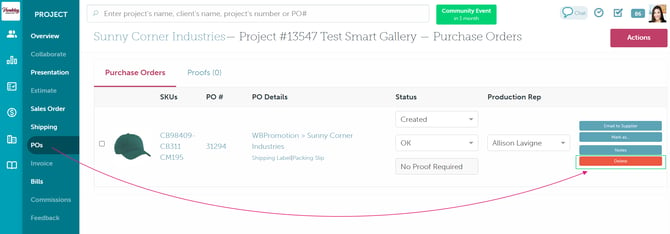
To delete a purchase order from within a project, click Delete on the right side of the purchase order.
How do I delete a bill?
To delete a bill:
- In Finance > Billing > click the "Report Type" drop-down and select Export Bills or Exported Bills
- Select a supplier, enter a PO number, or add the bill's dates
- Click Get Report
- Select the bill(s) you'd like to delete
- Click Delete Selected
- In the "Are you sure you want to delete these bills?" pop-up, click OK
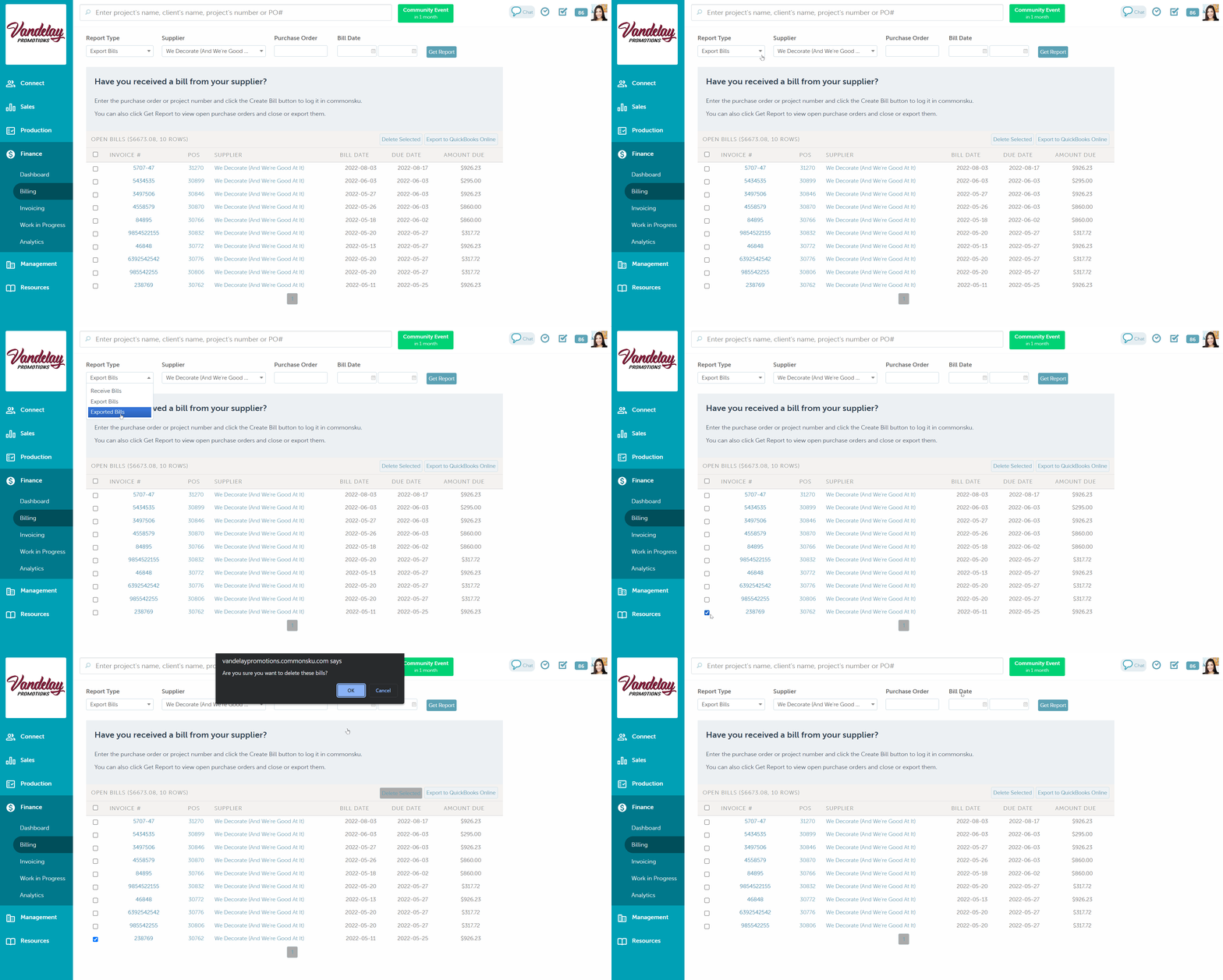
Deleted bills cannot be recovered. If you accidentally delete a bill, you'll need to manually re-add it.
FAQ
Why is there no delete button when I try to delete a form?
There are a few reasons why you may not be able to delete a form:
If you're unable to delete a form or project, it's because you don't have the necessary permissions. In that case, you can reach out to your admin to either:
- Have your permissions adjusted so you can delete the form/project
- Have the admin delete the form/project for you
Locked sales orders/ invoices need to be unlocked before they can be deleted.
To delete a form, all forms created after it needs to be deleted first. I.e., if you're trying to delete an estimate, you will need first to delete the sales order.
[Back to top]
How to recover a deleted form?
If you accidentally deleted a form, you can restore it by following these steps:
- Go to the client record associated with the deleted estimate.
- Click on the "Projects" tab.
- Enable the "Show Deleted" option.
- Find the deleted form in the list (sometimes it will be under the project that it belongs to).
- Select the "Restore" option and choose the form to restore
POs can not be restored. For that, you will need to contact support.