Why does this update matter?
Customers will see a View Size Guide link on product pages, providing easy access to size charts. This reduces sizing errors and improves the customer experience by simplifying access to crucial sizing details.
How to add a Size Guide URL
Pop-up Shops
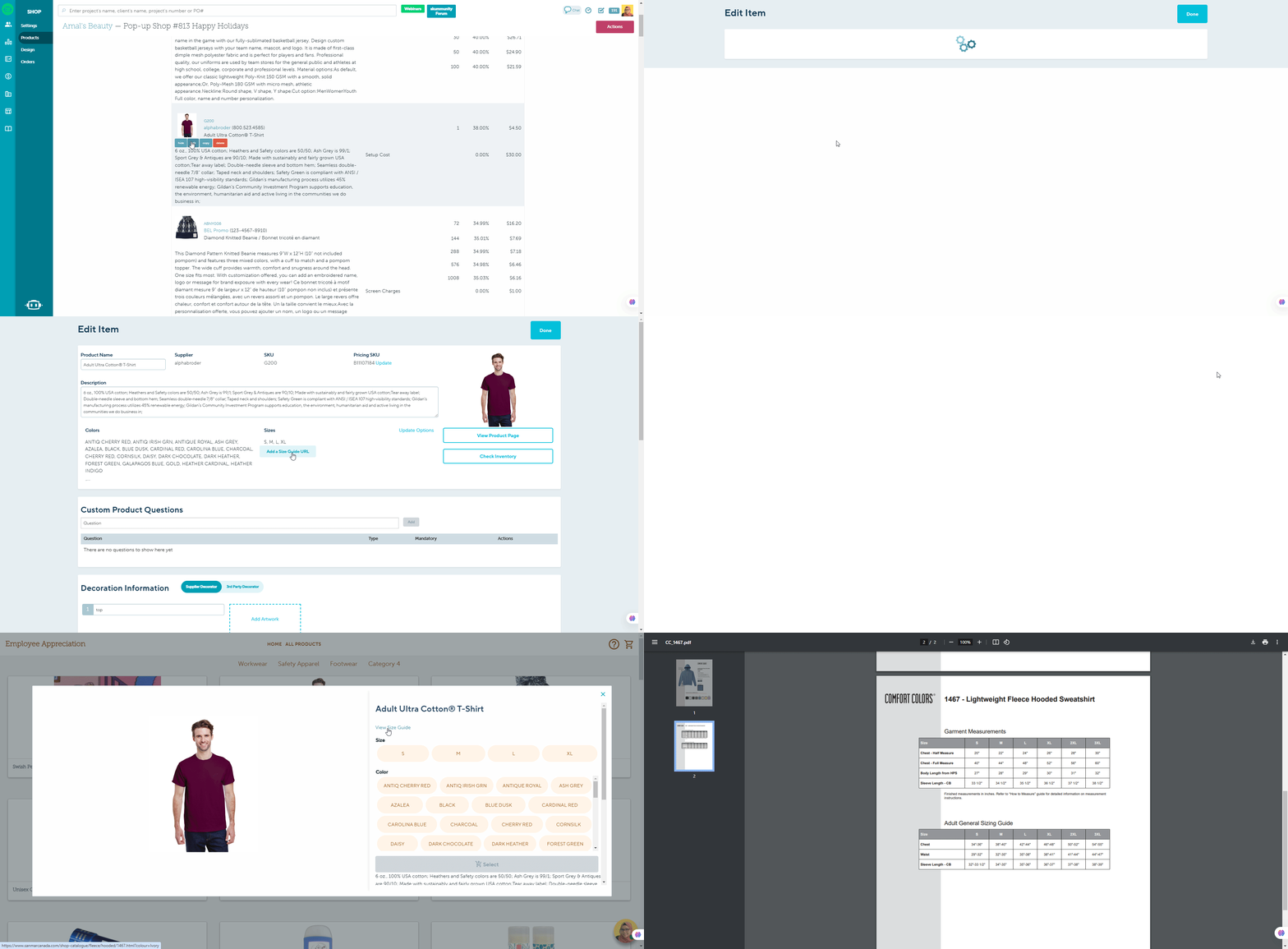
To add a Size Guide for your product :
- Select the desired product and click Edit to access the product tab
- Enter the URL in the Add a Size Guide URL field provided
- Once you have added the URL, you will be able to click on the View Size Guide link within the shop to open it in a new tab for easy reference.
Marketing Shops
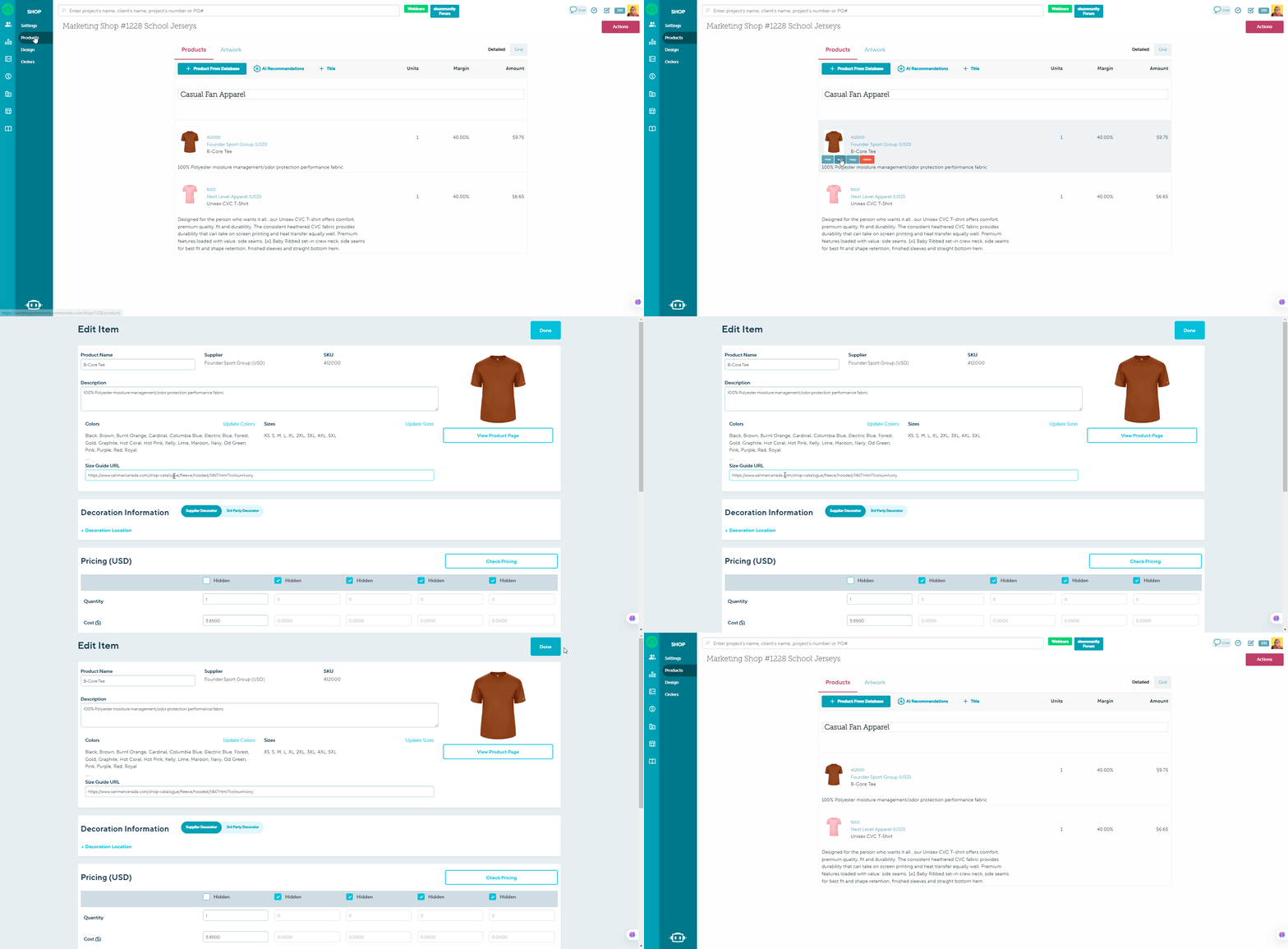
To add a Size Guide for your product :
- Select the desired product and click Edit to access the product tab
- Enter the URL in the Add a Size Guide URL field provided
- Once you have added the URL, you will be able to click on the View Size Guide link within the shop to open it in a new tab for easy reference.
FAQ
Can I upload a size chart to a product's images?
What are the recommended dimensions for product images?
Can I upload a size chart to a product's images?
No, uploading size chart files is no longer supported in commonsku.
Instead, you can now add a Size Guide URL to apparel products. This allows shoppers and clients to click a link to view sizing information (for example, a supplier-hosted size chart) without needing to upload a file.
What are the recommended dimensions for product images?
Shop's products can be any image size, but square images (600 x 600 pixels) tend to look best on mobile.